Best Productivity Tools for Work From Home: India 2026 Guide
Disclosure, Disclaimer & Methodology:
Last Updated: 2026-02-24
- Affiliate Notice: This post contains affiliate links. As an Amazon Associate, I earn from qualifying purchases made through links in this article at no extra cost to you.
“Amazon and the Amazon logo are trademarks of Amazon.com, Inc. or its affiliates.” - Not Medical Advice: This content does not constitute medical advice; always consult a healthcare professional regarding any health conditions before making a purchase.
- Product Information & Price Accuracy: The product specifications and prices may not be accurate. Please verify the final details and current price before making a purchase.
- Research Methodology: These recommendations of products are brought to you after they are tried out, or they already have positive reviews and ratings.
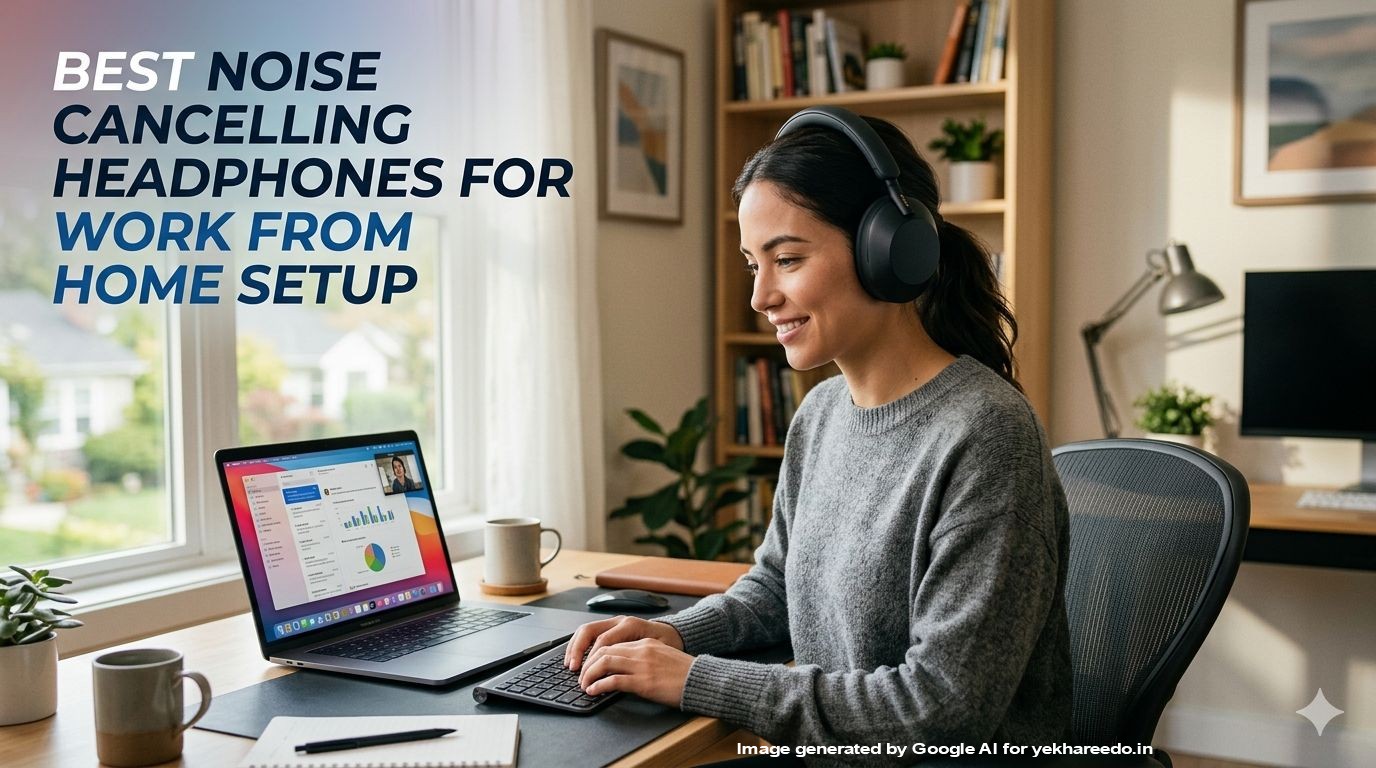
- AI Images: Generated by google AI and edited by yekhareedo.in
Who This Guide Is For
- Work From Home Professionals: This guide is best suited for assisting professionals Woking from home in India in setting up their home office.
- Office Furniture Buyers: This guide can be used by the facility management teams at office premises to evaluate the best productivity enhancement tools which can complement the office setup as well.
Engineering a “Flow State” at Home
In 2026, the novelty of working from home has worn off, replaced by the necessity of high-performance and high-productive environment. A “good enough” setup is no longer enough; digital fatigue and musculoskeletal issues are at an all-time high due to poor choice of work infrastructure at work from home setups. Creating a productive work from home setup is not only limited to a good ergonomic chair, but extends to other areas of work environment.
This guide shifts the focus from just “having a place to sit” to building a Productivity Ecosystem. We aren’t just looking at individual gadgets; we are looking at how ergonomics along with lighting, and audio tech work together to keep you in “the zone” for longer periods.
To build a high-performing work-from-home environment in India, your hardware choices should focus on minimizing domestic distractions and maximizing ergonomics and comfort for productivity.
Key Features Needed in The Best Productivity Tools for Work From Home Setup
- Ergonomic Integration: Does the product (specifically the chair) allow you to maintain and support the correct body posture? Look for adjustable lumbar support, a nice tilting mechanism in the backrest of the chair, the chair height is adjustable to suit your seating posture.
- Acoustic Isolation: In the Indian context, “Silence is Luxury.” Prioritize hardware that cancels ambient household noises.
For input devices, this means looking for silent-click technology or dampened mechanical switches that prevent your typing from being picked up by sensitive microphones as well as allow you to work without the distractions of the clicking and typing sounds. If you are someone who is comfortable with these sounds then you can ignore these.
Conversely, for audio, “Active Noise Cancellation” (ANC) is the baseline. A superior product won’t just block out steady drones like an AC hum, but will feature “Environmental Noise Cancellation” (ENC) in the microphone to filter out sudden sounds—like doorbells or traffic—so your voice remains professional. - Multi-Device Connectivity: As we move between tablets, laptops, and phones, look for “Multi-pair” or “Flow” technology. A mouse or keyboard that can toggle between your work laptop, a personal tablet, or a phone at the press of a button reduces desk clutter and streamlines your workflow.
Top 7 Best Productivity Tools for Work From Home Setup in India for 2026
| Category | Product Pick | Best For |
|---|---|---|
| Seating | Green Soul Jupiter Superb | Ergonomic Mesh Office Chair (#Ad, #commissionsearned) | Breathable Mesh Comfort for Long Sitting Hours |
| Audio | Sony WH-1000XM5 Best Active Noise Cancelling Wireless Bluetooth Over Ear Headphones (#Ad, #commissionsearned) | Total Silence |
| Input | Logitech MX Master 3S – Wireless Performance Mouse with Ultra-Fast Scrolling (#Ad, #commissionsearned) | Power Users of Mouse |
| Desk | Monomi Electric Standing Desk (#Ad, #commissionsearned) | Sit-Stand Health and Posture Ergonomics |
| Lighting | BenQ ScreenBar E-Reading LED Computer Monitor Light Lamp (#Ad, #commissionsearned) | Eye Strain Prevention |
| Typing | Logitech MX Keys S Wireless Keyboard (#Ad, #commissionsearned) | Tactile Feel while Typing |
| Utility | DailyObjects Large Premium Vegan Leather Desk Mat (#Ad, #commissionsearned) | Aesthetics and Keeping Tabletop Clean |
Detailed Product Reviews
1. Green Soul Jupiter Superb | Ergonomic Mesh Office Chair(#Ad, #commissionsearned)
- Best for: Beating the Indian heat with a comfortable seating option.
- Why It Stands Out: Its breathable mesh is superior for non-AC rooms, preventing back-sweat during those long working hour shifts.
- Key Features: Multi Lock Synchro-tilt mechanism (this allows for the seamless transition from seated position to a reclined position) , 2D adjustable armrests, high back rest (supports the entire length of the spine) and molded foam seat.
- Pros: Highly durable; excellent lumbar support; easy assembly.
- Cons: Armrests are plastic, not cushioned.
- Who Should Buy: Anyone upgrading from a standard plastic or wooden chair. It is a great option while creating a productive work from home setup
Check the latest price for “Green Soul Jupiter Superb | Ergonomic Mesh Office Chair”(#Ad, #commissionsearned)
2. Sony WH-1000XM5 Best Active Noise Cancelling Wireless Bluetooth Over Ear Headphones(#Ad, #commissionsearned)
- Best for: Deep work in noisy neighborhoods.
- Why It Stands Out: Its 8-microphone system isolates your voice and kills the sound of pressure cookers or traffic outside.
- Key Features: Industry-leading ANC, 30-hour battery, Speak-to-Chat.
- Pros: Best microphone quality in the market; extremely lightweight. Allows seamless multi device pairing and switching between devices with the click of a button.
- Cons: Expensive; the case is larger than previous models.
- Who Should Buy: Professionals in client-facing roles or noisy apartments.
Check the latest price for “Sony WH-1000XM5 Best Active Noise Cancelling Wireless Bluetooth Over Ear Headphones”(#Ad, #commissionsearned)
3. Logitech MX Master 3S – Wireless Performance Mouse with Ultra-Fast Scrolling(#Ad, #commissionsearned)
- Best for: Spreadsheet warriors and designers.
- Why It Stands Out: The “MagSpeed” wheel can scroll 1,000 lines in a second but is pixel-precise when needed.
- Key Features: 8K DPI tracking (works on glass), thumb wheel, silent clicks.
- Pros: Ergonomic “handshake” grip; incredibly productive software shortcuts.
- Cons: Not suitable for left-handed users.
- Who Should Buy: Power users who want to reduce repetitive clicking.
Check latest price for “Logitech MX Master 3S – Wireless Performance Mouse with Ultra-Fast Scrolling”(#Ad, #commissionsearned)
4. Monomi Electric Standing Desk(#Ad, #commissionsearned)
- Best For: Best Overall Value with Highest Weight and Table Space.
- Why it stands out: Headphone Hook along with Highest Weight Capacity and Biggest Tabletop Space.
- Key Features: Wood & Steel Build with Cable Management.
- Pros: Comparativly the highest weight capacity as well as the biggest tabletop space.
- Cons: No cup holder, no storage drawer and no display.
- Who Should Buy: Professionals looking for a height adjustable desk with heavy duty use with highest weight and biggest tabletop space at the most economical budget value.
Check the latest price for “Monomi Electric Standing Desk” (#Ad, #commissionsearned)
5. BenQ ScreenBar E-Reading LED Computer Monitor Light Lamp (#Ad, #commissionsearned)
- Best for: Late-night workers and eye-health.
- Why It Stands Out: Unlike desk lamps, it lights up the workspace without causing any reflection on the screen.
- Key Features: Auto-dimming, no screen glare, space-saving clip.
- Pros: Reduces eye fatigue significantly; frees up desk space.
- Cons: Touch buttons can be finicky on some units.
- Who Should Buy: Developers and writers who work past sunset.
Check the latest price for “BenQ ScreenBar E-Reading LED Computer Monitor Light Lamp”(#Ad, #commissionsearned)
6. Logitech MX Keys S Wireless Keyboard (#Ad, #commissionsearned)
- Best for: The “Professional” typing experience.
- Why It Stands Out: It combines the “clicky” satisfaction of a gaming keyboard with a sober, office-friendly aesthetic.
- Key Features: Low-profile keys, smart backlighting, multi-device pairing.
- Pros: Very fast typing speeds; connects to 3 devices via Bluetooth.
- Cons: The “Tactile Quiet” switches are still louder than a laptop keyboard.
- Who Should Buy: Content creators and coders.
Check the latest price for “Logitech MX Keys S Wireless Keyboard” (#Ad, #commissionsearned)
7. DailyObjects Large Premium Vegan Leather Desk Mat (#Ad, #commissionsearned)
- Best for: Elevating the look of a cheap desk.
- Why It Stands Out: It acts as a giant mousepad and protects your desk surface from spills and scratches.
- Key Features: Anti-skid bottom, water-resistant surface, 90x45cm size.
- Pros: Makes any desk look premium; feels great under the wrists.
- Cons: Can have a slight “new leather” smell for the first 24 hours.
- Who Should Buy: Anyone looking to organize their desk surface aesthetically.
Check the latest price for “DailyObjects Large Premium Vegan Leather Desk Mat” (#Ad, #commissionsearned)
Buyer’s Guide: How to Choose Your Ideal Product
- Prioritize the “Touch Points”: The “Golden Rule” of WFH is to invest most heavily in what physically touches your body.
High Investment: Spend more on your chair, keyboard, mouse, and headphones. These directly impact your posture and health.
Budget-Friendly: You can often opt for mid-range or budget options for desks, cable organizers, and stationery without sacrificing performance.
If budget is limited, spend most on what you touch—the chair and the mouse. These have the highest ROI on your health. - Measure Twice, Buy Once: Indian rooms are often compact. Always check the dimensions of the desk or the chair against your floor space.
- Validate for Indian Conditions:
- Acoustic Management: Check if mice have “Quiet Mark” certification and ensure headphones feature Active Noise Cancellation (ANC) to counter household and traffic sounds.
- Power Reliability: Prioritize devices with USB-C fast charging or long battery lives (15–20+ hours) to survive potential power cuts during critical tasks.
- Check Multi-Device Interoperability: For a seamless workflow, look for peripherals that support Multipoint Bluetooth or include a 2.4GHz USB dongle. This allows you to toggle between a work laptop and a personal phone or tablet with a single click.
FAQs
- Q: Why choose an electric desk over a manual one?
- A: Convenience. If it’s manual, it needs effort effort every time you need to adjust the height and it can also limit the number of times you actually change the table height.
Electric presets make the transition seamless and effortless with just the push of a button.
- A: Convenience. If it’s manual, it needs effort effort every time you need to adjust the height and it can also limit the number of times you actually change the table height.
- Q: Are expensive mice worth it?
- A: For professionals, yes. A good and fast mouse can save you hundreds of unnecessary movements a day.
- Q: Why should I choose a “silent” mouse over a standard wireless one?
- A: Silent mice use dampened switches that reduce clicking noise by up to 90%. This is crucial in a home environment where sharp clicking can be a distraction to family members or picked up by sensitive microphones during virtual meetings.
- Q: What is the difference between ANC and ENC in headphones?
- A: ANC (Active Noise Cancellation) is for you; it uses internal mics to cancel out background noise so you can focus.
ENC (Environmental Noise Cancellation) is for the person you’re calling; it filters out your background noise so they can hear your voice clearly.
- A: ANC (Active Noise Cancellation) is for you; it uses internal mics to cancel out background noise so you can focus.
Pro-Maintenance Checklist
- Monthly: Tighten the bolts on the chair and table if neccessary to prevent squeaking.
- Weekly: Wipe the surfaces of the devices with a dry microfiber cloth.
- Bi-Monthly: Deep clean your desk mat using a mild soap solution.
Final Verdict: Which of These Tools are Absolute Neccessity to Buy?
While a complete setup would be ideal with all the products reviewd here, these 3 products mentioned below are abosulte basic essentials for a productive work from home setup:
- The Absolute Foundation Need for a Productive Work From Home Setup:
Buy Now “Green Soul Jupiter Superb | Ergonomic Mesh Office Chair”(#Ad, #commissionsearned).
WHY? You cannot work well if your body is not in the correct posture.
— - The Enabler For The Focused Work:
Buy Now “Sony WH-1000XM5 Best Active Noise Cancelling Wireless Bluetooth Over Ear Headphones”(#Ad, #commissionsearned).
WHY? It turns a noisy home into a private library.
— - The Necessity For The Fast Performance & Enhanced Productivity Work:
Buy Now “Logitech MX Master 3S – Wireless Performance Mouse with Ultra-Fast Scrolling”(#Ad, #commissionsearned).
WHY? It is the single best productivity tool for your hands.
About the Author
Pradeep Kumar is a work from home workspace enthusiast working to help professionals and students in India build a pain-free, productive home office.